
 zouzexu
38f3a8046e
中数电动v2版本初始化脚手架
zouzexu
38f3a8046e
中数电动v2版本初始化脚手架
|
6 hónapja | |
|---|---|---|
| .cursor | 6 hónapja | |
| .husky | 6 hónapja | |
| .idea | 6 hónapja | |
| .vscode | 6 hónapja | |
| licenses | 6 hónapja | |
| mock | 6 hónapja | |
| public | 6 hónapja | |
| src | 6 hónapja | |
| .editorconfig | 6 hónapja | |
| .env.development | 6 hónapja | |
| .env.production | 6 hónapja | |
| .eslintrc-auto-import.json | 6 hónapja | |
| .prettierignore | 6 hónapja | |
| .prettierrc.yaml | 6 hónapja | |
| .stylelintignore | 6 hónapja | |
| .stylelintrc.cjs | 6 hónapja | |
| CHANGELOG.md | 6 hónapja | |
| LICENSE | 6 hónapja | |
| README.en-US.md | 6 hónapja | |
| README.md | 6 hónapja | |
| commitlint.config.cjs | 6 hónapja | |
| eslint.config.ts | 6 hónapja | |
| index.html | 6 hónapja | |
| package.json | 6 hónapja | |
| pnpm-lock.yaml | 6 hónapja | |
| tsconfig.json | 6 hónapja | |
| uno.config.ts | 6 hónapja | |
| vite.config.ts | 6 hónapja |
README.en-US.md

中数电动






Introduction
vue3-element-admin is a minimalist enterprise-level backend management frontend template built with Vue3, Vite7, TypeScript, and Element-Plus. It comes with complementary Java backend youlai-boot and Node backend youlai-nest. A simplified version vue3-element-template and a JavaScript version vue3-element-admin-js are also available for developers to quickly start development.
Project Features
- Simple and Easy-to-use: Upgraded version of vue-element-admin for Vue3, with minimal encapsulation and easy to get started.
Data Interaction: Support for
Mockdata and online API documentation, with accompanying Java and Node backend source code.System Functions: Provides user management, role management, menu management, department management, dictionary management, and other functional modules.
Permission Management: Supports dynamic routing, button permissions, role permissions, and data permissions.
Infrastructure: Provides internationalization, multiple layouts, dark mode, full screen, watermark, API documentation, and code generator functionality.
Continuous Updates: Project is continuously updated with real-time updates of tools and dependencies.
Project Screenshots
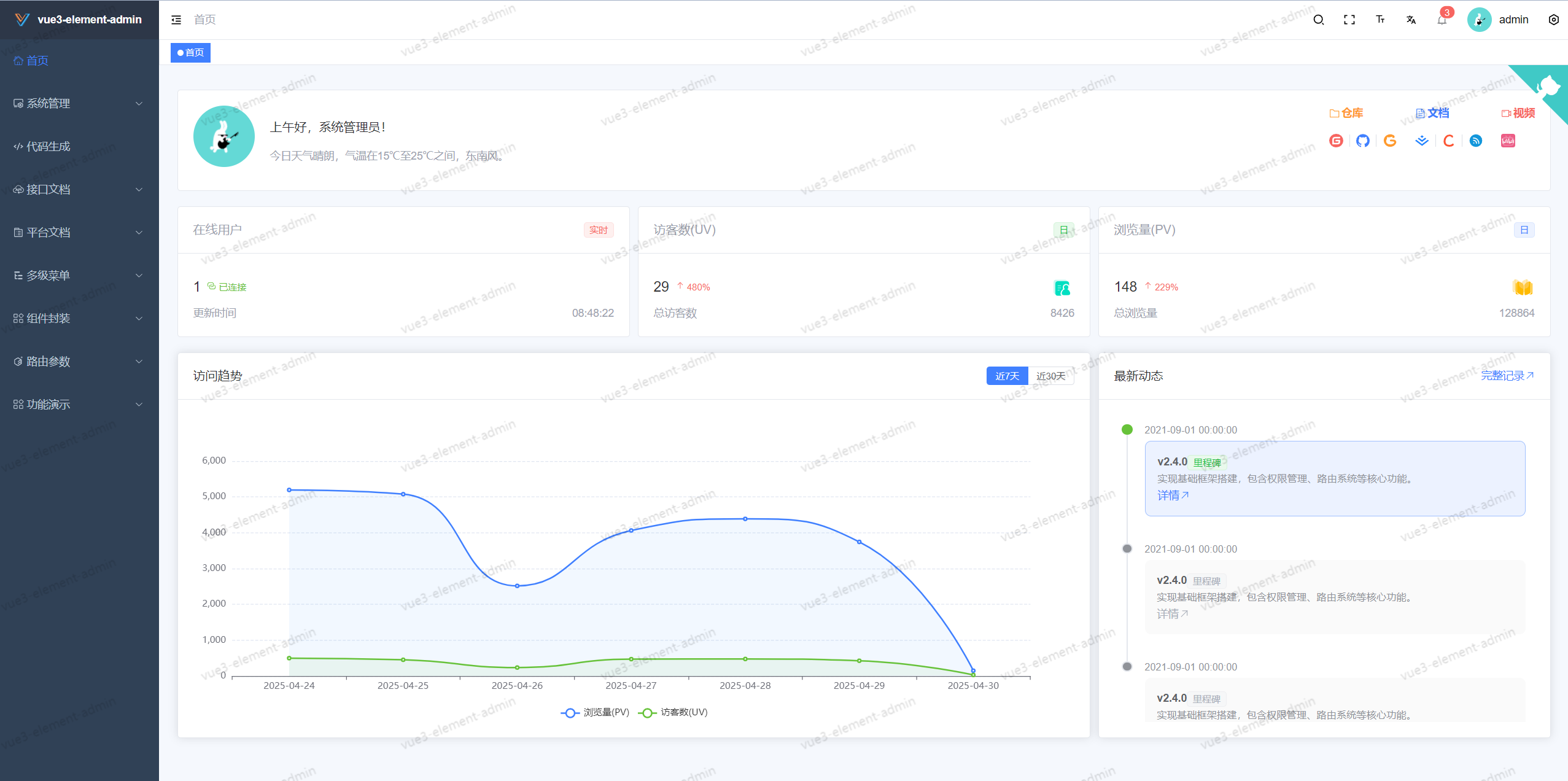
🖥️ Dashboard
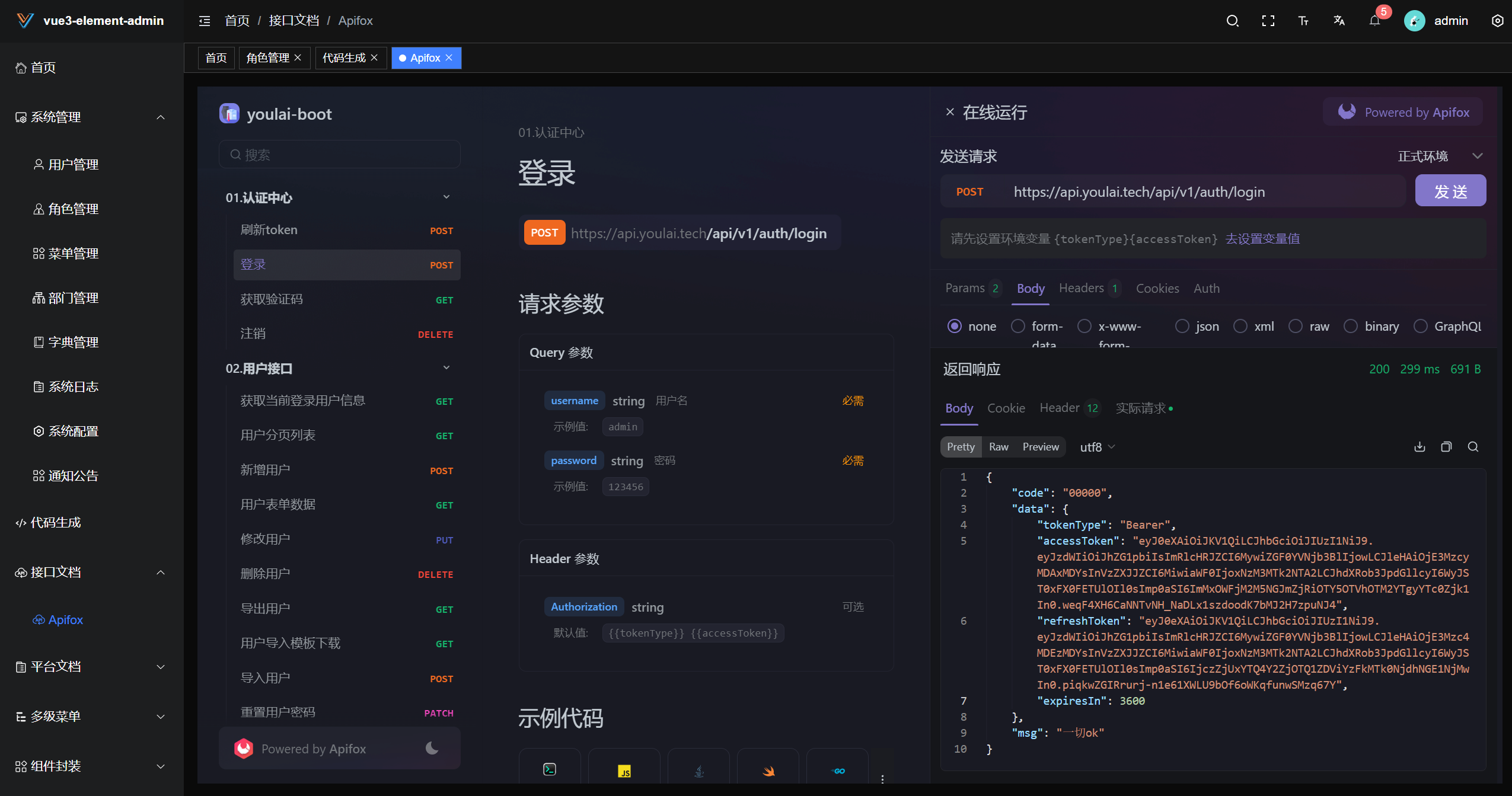
⚡API Documentation
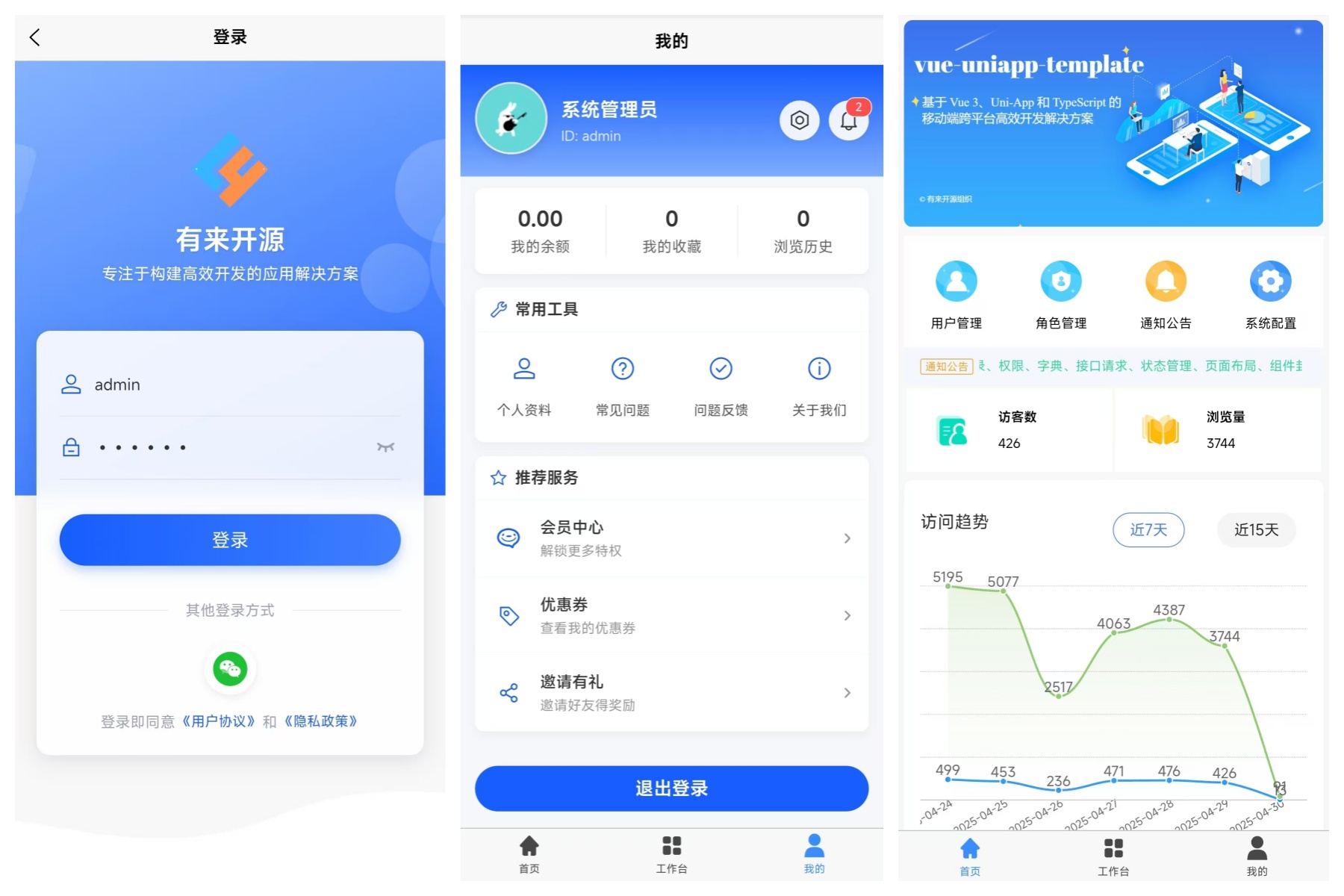
📲 Mobile Version
Project Source Code
| Project | Gitee | Github | GitCode |
|---|---|---|---|
| vue3-element-admin ✅ | vue3-element-admin | vue3-element-admin | vue3-element-admin |
| vue3-element-admin JS Version | vue3-element-admin-js | vue3-element-admin-js | vue3-element-admin-js |
| vue3-element-admin Lite Version | vue3-element-template | vue3-element-template | vue3-element-template |
| vue-uniapp-admin Mobile Version | vue-uniapp-admin | vue-uniapp-admin | vue-uniapp-admin |
| Java Backend | youlai-boot | youlai-boot | youlai-boot |
| Node Backend | youlai-nest | youlai-nest | youlai-nest |
Development Guide
| Name | Link |
|---|---|
| Video Tutorial | https://www.bilibili.com/video/BV1eFUuYyEFj |
| Project Setup | Building a Backend Management System from Scratch with Vue3, Vite, TypeScript, and Element-Plus |
| Official Documentation | https://www.youlai.tech/vue3-element-admin/ |
| Code Standards | ESLint V9 + Prettier + Stylelint + EditorConfig for Standardized and Unified Frontend Code Style |
| Commit Standards | Husky + Lint-staged + Commitlint + Commitizen + cz-git for Git Commit Standards |
| API Documentation | https://www.apifox.cn/apidoc/shared-195e783f-4d85-4235-a038-eec696de4ea5 |
Project Setup
- Environment Preparation
| Environment Type | Name |
|---|---|
| Development Tool | Visual Studio Code |
| Runtime Environment | ^20.19.0 |
Quick Start
# Clone repository
git clone https://gitee.com/youlaiorg/vue3-element-admin.git

# Change directory
cd vue3-element-admin

# Install pnpm
npm install pnpm -g

# Set mirror source (optional)
pnpm config set registry https://registry.npmmirror.com

# Install dependencies
pnpm install

# Start development server
pnpm run dev
Project Deployment
After executing the pnpm run build command, the project will be bundled and a dist directory will be generated. Next, upload the files from the dist directory to the /usr/share/nginx/html directory on your server and configure Nginx for reverse proxy.
pnpm run build
Here is an example Nginx configuration:
server {
    listen      80;
    server_name localhost;

    location / {
        root   /usr/share/nginx/html;
        index  index.html index.htm;
    }

    # Reverse proxy configuration
    location /prod-api/ {
        # Please replace api.youlai.tech with your backend API address, and keep the trailing slash /
        proxy_pass http://api.youlai.tech/;
    }
}
For more detailed information, please refer to this article: Nginx Installation and Configuration.
Local Mock
The project supports both online and local Mock interfaces. By default, it uses online interfaces. To switch to Mock interfaces, modify the VITE_MOCK_DEV_SERVER value in the .env.development file to true.
Backend API
If you have a basic understanding of Java development, follow these steps to convert online API to local backend API and create an enterprise-level full-stack development environment to help you on your full-stack journey.
- Get the backend source code based on
JavaandSpringBootfrom youlai-boot. - Follow the instructions in the backend project's README.md to set up and run locally.
- Modify the value of
VITE_APP_API_URLin the.env.developmentfile, changing it from https://api.youlai.tech to http://localhost:8989.
Notes
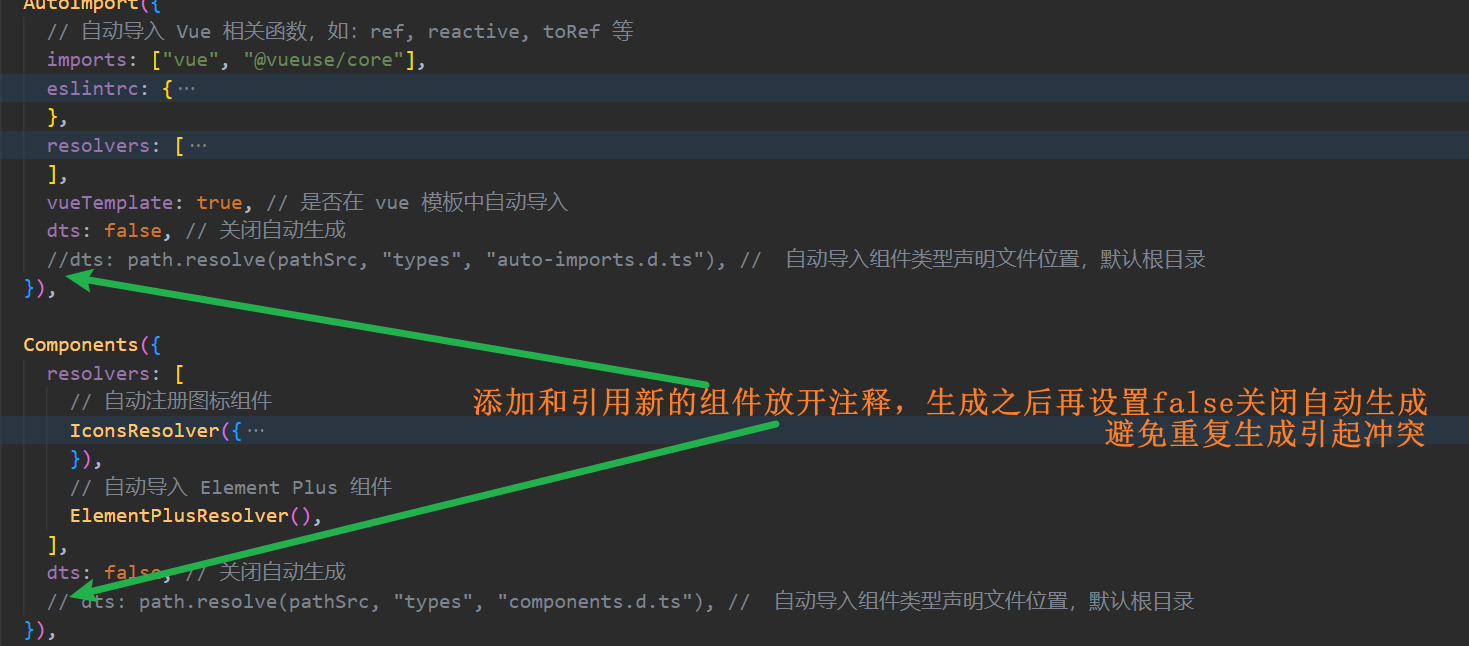
- Auto import plugin is disabled by default
Component type declarations have been automatically generated for the template project. If you add and use new components, follow the instructions in the screenshot to enable automatic generation. After automatic generation is complete, remember to set it back to false to avoid conflicts.
- Blank page when accessing the project
Try upgrading your browser, as older browser engines may not support certain new JavaScript syntax, such as optional chaining operator ?..
- Project synchronization with repository updates
After synchronizing the project with repository updates, it is recommended to run pnpm install to update dependencies before starting.
- Red highlight on project components, functions, and imports
Restart VSCode to try again.
- Other issues
If you have any other issues or suggestions, please open an ISSUE.
Commit Conventions
Execute pnpm run commit to invoke interactive git commit and complete the information input and selection according to the prompts.

Project Statistics
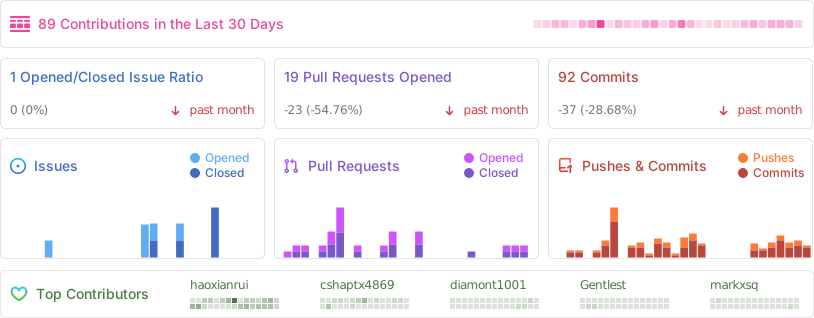
Thanks to all the contributors!
Special Thanks

Community
① Follow the "Youlai Tech" WeChat Official Account, click the Group Chat menu to get the QR code (this measure is taken to prevent ads from entering the group, thanks for your understanding and support).
② Directly add WeChat haoxianrui with a note indicating "Frontend/Backend/Full Stack".